Internal Linking: What Is It and Why Is It Needed for SEO
What internal links are, the different types, and why they matter for both SEO rankings and user experience.
What Are Internal Links?
Internal links point to pages within the same website.
Here’s how it looks on a webpage:
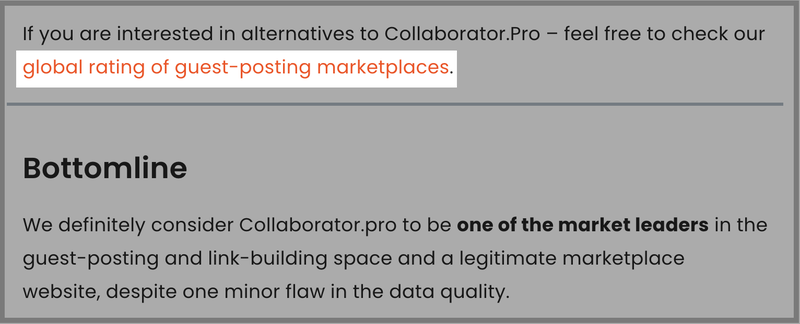
And here’s how the code looks like.

In contrast:
• External links lead to pages on other websites.
• Backlinks are links from other websites pointing to your pages.
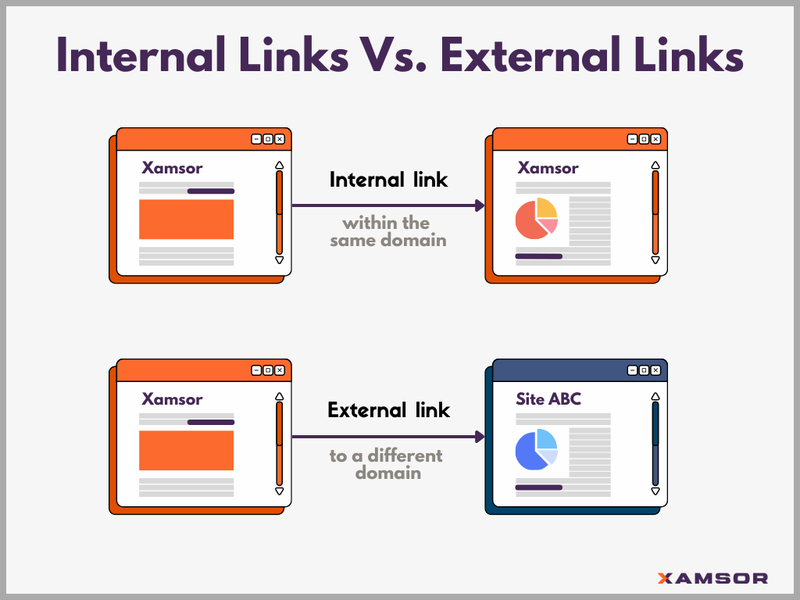
An internal link guides users to a new page within the same domain, engaging the visitor to interact more with your website.
Types of internal links
There are different types of internal links:
- Contextual links
- Navigational links
- Footer links
- Sidebar links
- Breadcrumb links
- CTA links
Contextual links
Contextual links are found within a page’s content. They direct visitors to relevant pages within the website.
These can be other blog posts, tool pages, resources, product pages, etc.
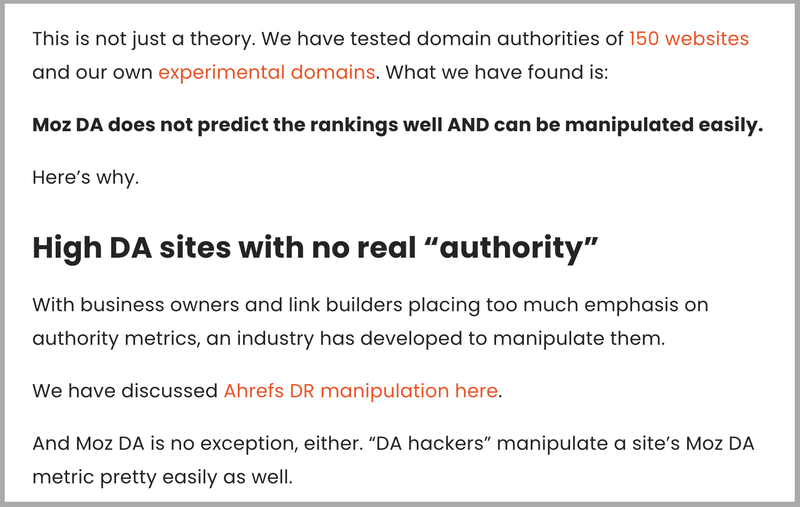
The anchor text for these internal links is usually context-based rather than the exact page name it links to, hence the name “contextual” links.
Navigational links
Navigational links help users navigate through the important site pages. And are typically the top menu links.
Here’s how it looks on Xamsor’s homepage.
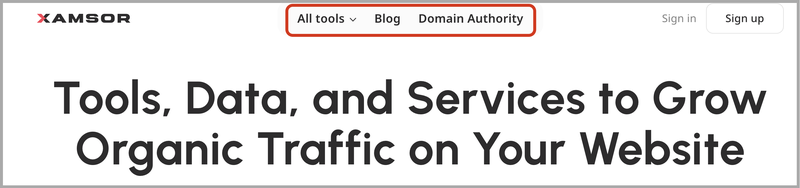
Navigational links exist across all pages on the website and hence, should lead to the main pages.
Sidebar links
Sidebar links are also a form of navigational link, but they are positioned on the sidebar rather than the top menu.
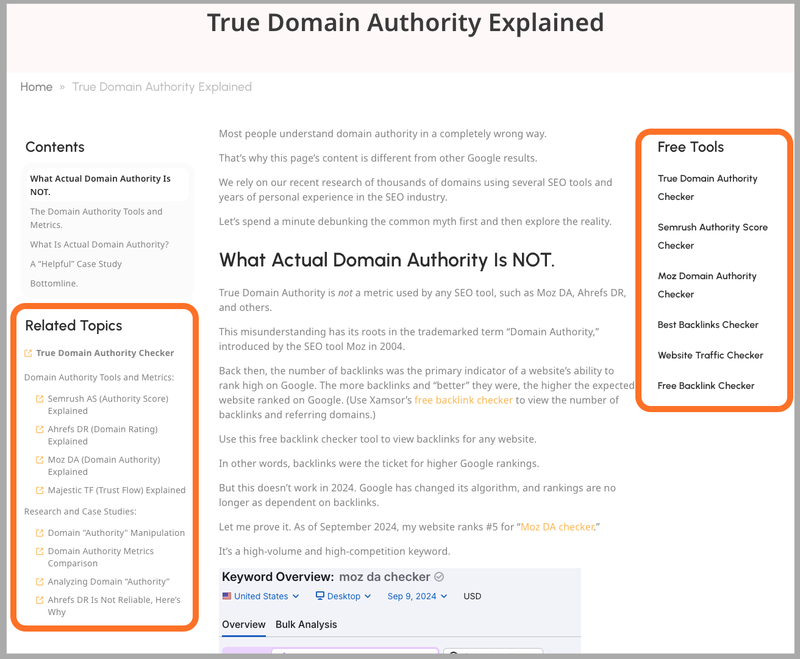
What goes in sidebar links depends on the website and business. They can lead to relevant pages, product pages, or even conversion pages (this includes CTA links, which we will discuss shortly).
Footer links
Footer links are another form of navigational link, but they are placed at the bottom of the page—in the footer.
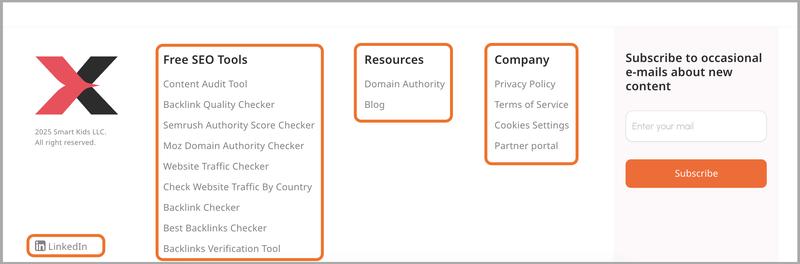
These internal links usually lead to terms of service, privacy policy, disclosures, other important pages, and social media links.
Breadcrumb links
Breadcrumb links show the page’s location within the website’s hierarchy. Think of it as folder and file paths.
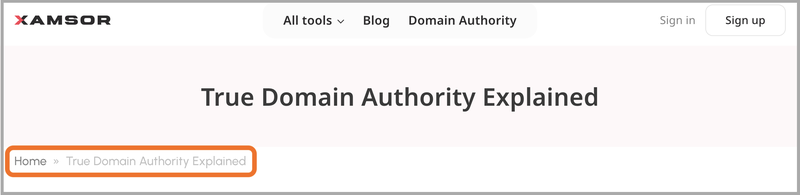
These internal links appear as a trail of links at the top of the page to help users return to previous sections.
CTA links
Call-to-action (CTA) links are typically wrapped as a click button to grab readers’ attention.

The CTA links want the visitor to take action and are often used for promotions, sign-ups, and/or lead generation.
Why Are Internal Links Important?
Two reasons:
First, internal links improve user engagement.
Visitors click on relevant pages, interact with the page content, and navigate the website—all of which lead to a longer dwell time.
Second, internal links help search engines like Google to discover and index pages easily.
Internal links also pass link juice or PageRank. Coupled with the increased dwell time, they might improve the rankings.
In short, internal linking improves user engagement and helps Google crawl, index, and rank pages faster.
12 Internal Linking Best Practices
Here are the do’s and don’ts of internal linking:
#1. Use Descriptive Anchor Text
Anchor text is the visible text that users see when clicking the link.
Anchor text helps both users and Google understand what the page linking out to is about.
For contextual internal linking, always use descriptive anchor texts. You can use exact-match anchor texts, but contextual and descriptive texts are better.
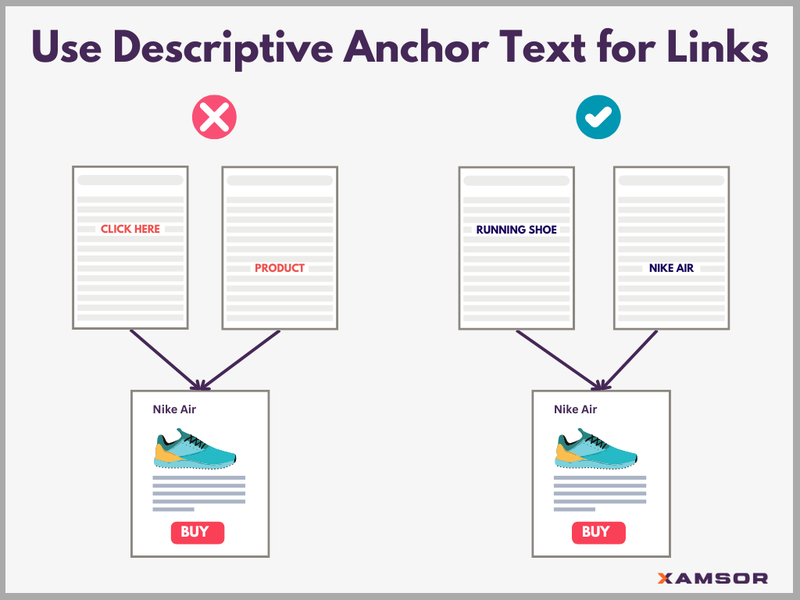
However, what you shouldn’t do is use generic text that says nothing about the linking page.
Even Google tells you to avoid such generic anchor texts.
#2. Link to High-Priority Pages
Internal links pass down link juice or authority between the pages.
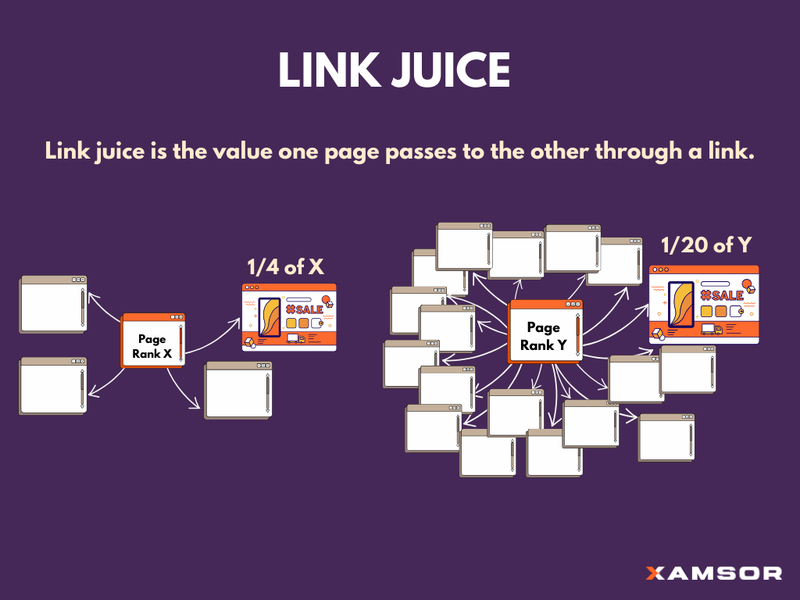
Make sure your high-priority pages get those link juice from other pages.
Of course, that does not mean you should overdo it by internal linking a lot to your main pages without any context and relevance.
The best practice is to link to your high-priority pages as often as it makes sense. But don’t overdo it.
#3. Don’t Overload a Page with Too Many Links
Too many links on a page are not good either.
One, it hurts user experience. Two, it dilutes the link juice too much.
Here’s what Matt Cutts, the former head of the web spam team at Google, says about too many links on a page:
“Now, one thing to be aware of is, we do take the page rank of a page. And the page rank equation says you divide by the out degree. So, if you have 500 links on a page, you’re dividing that page’s page rank by 500 when you look at the outgoing links. That’s according to the original page rank paper. So that’s one thing to bear in mind.”
So, link to your internal pages, but don’t go overboard.
#4. Avoid Creating Orphan Pages
Orphan pages are web pages that have no internal links pointing to them.
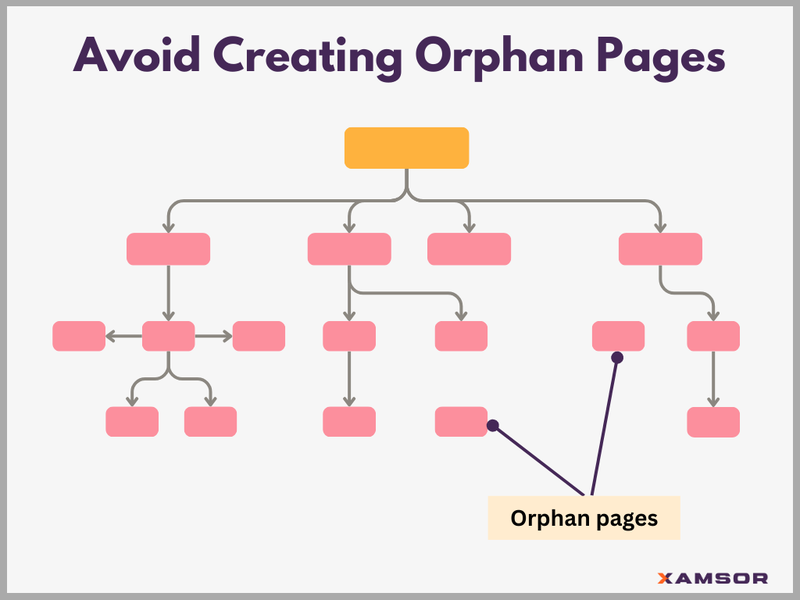
This makes it hard for both Google and users to find them.
Without internal links and link juice, the orphan pages become isolated and don’t get much visibility and traffic from Google.
So, add internal links pointing to orphan pages.
As a thumb rule, ensure every page has at least two incoming internal links.
You can check this data from your WordPress SEO plugin, such as Yoast SEO or Rank Math SEO.
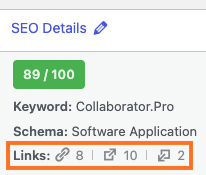
You can see the internal links outgoing and incoming for each page and add links based on that.
#5. Keep the Page Depth Low
Page depth is the number of clicks required to reach a page from the homepage.
Pages with high page depth make it difficult for Google to find them.
Now, these pages are not technically orphans. However, they have so few internal links that users or Google will have difficulty finding them on the website.
To address this, a good practice is to follow the three-click rule.
The three-click rule states no page should take more than three clicks to access.
If a user lands on your homepage, he should be able to access any webpage easily with a few clicks.
So, improve your navigation links, site structure, and internal linking to make sure all the pages are only a few clicks away.
#6. Mix Up Anchor Text
Zyppy SEO conducted a case study of 23 million internal links and found that anchor text variations improve Google rankings.

The higher the number of anchor text variations a page has, the higher its Google traffic.
Bottomline. Use different and descriptive anchor texts.
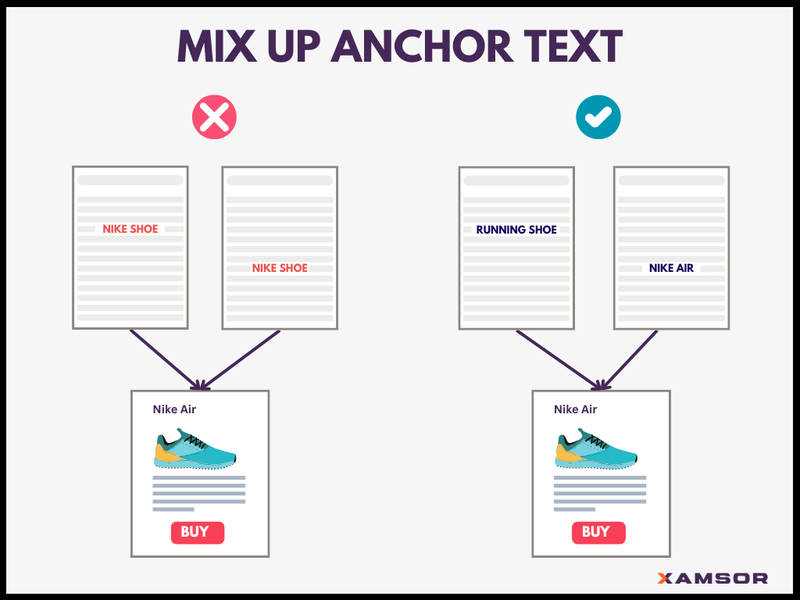
Different variations but relevant keywords as anchor texts help Google to understand better what the page is about.
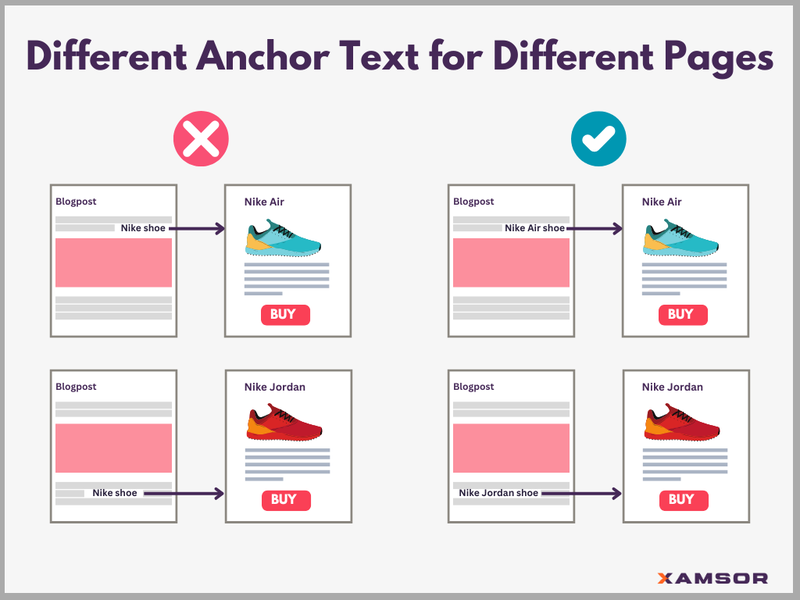
#7. Don’t Use the Same Anchor Text for Different Pages
Next, don’t use the same anchor texts for multiple pages.
The same anchor text but different target pages can confuse Google. It might struggle to decide which page is the most relevant for that keyword.
#8. Make Your Internal Links Visible, Don’t Hide Them
Internal linking is not just for search engines. It is also for a better user experience.
So don’t hide them. Use contextual links with relevant content to make the visitor stay longer on the website.
Also, Google doesn’t like hidden links.

You can underline, bold, or use a different color to make the internal links more visible.
At Xamsor, we use a different color for our links.
#9. Regularly Check for Broken Links
Broken links are dead links that no longer work. They redirect to a non-existent page, resulting in a 404 error.
Broken links hurt user experience and SEO.
So, regularly check for and fix broken links. Tools like Semrush can help you identify broken links easily.
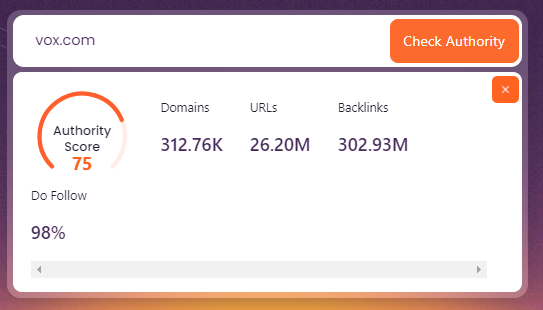
#10. Stack Important Internal Links Top of the Page
Add internal links to important pages towards the top of the content.
Two reasons why.
One, the internal links at the top catch users’ attention more than links at the bottom of the page, where the visitors might have bounced by then.
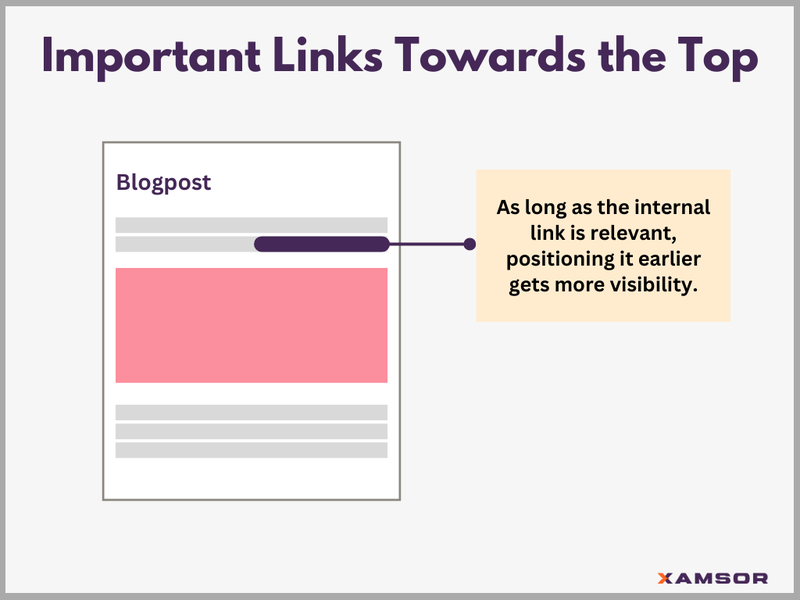
Two, search engines might attribute slightly more significance to the links near the top of the page.
After all, links at the header are usually more important than the footer links. Either way, stack important links near the top.
#11. Always “Dofollow” Internal Links
If you want link juice or authority to flow through internal links, they must be “do follow.”
By default, links are dofollow. But one can change it to “no-follow,” though.
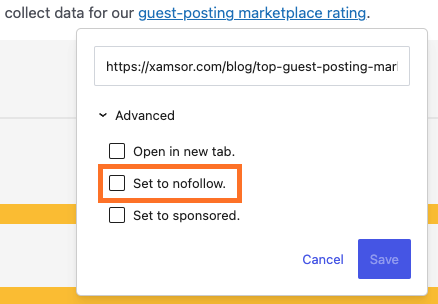
So, make sure the internal links are dofollow.
#12. Link to Underperforming Pages to Boost Rankings
Internal linking is a great way to boost rankings on Google. Especially the pages that used to rank well but have declined recently.
Updating the page content and adding internal links pointing to this page can do wonders.
You can check the declining ranking pages using tools like CAT (Content Audit Tool).
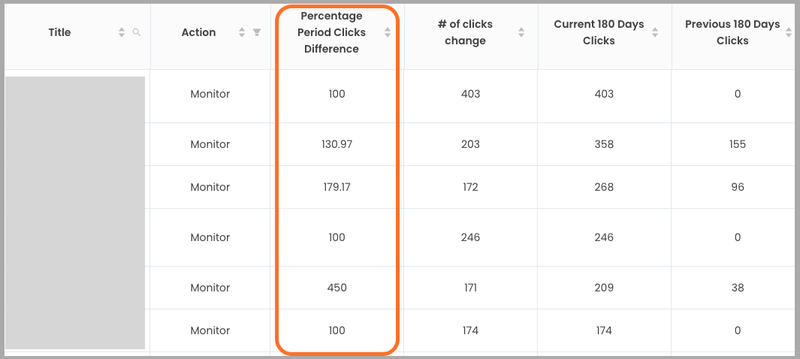
Xamsor’s CAT allows you to filter for sites that need updating.
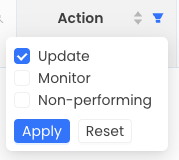
You can change the settings to customize the rules as well.
Once you have the pages that need updating, you can add internal links that point to these pages.
Is there anything missing in this article? Feel free to join the discussion on LinkedIn.
Want to get notifications about the new posts? Subscribe to the e-mail newsletter.

Max Roslyakov
Founder, Xamsor